My Account
Help
Scheduling
Each hour, we check for any feeds that need to be checked, check them, and if we find a new post, mail the selected contacts.
In order for your feed to be checked, it must be active, not recently checked, and between the hours that you asked us to check it.
When we find a new post, in order to send mail, you must have a template configured, a tag selected, and contacts found with that tag.
Merge Fields
Your FeedBolt email templates can include a number of our powerful FeedBolt merge tags to add in information about your blog and recent posts.
The following merge fields are available for you to drop into your templates.
- ~RSS.feedtitle~ The title of the blog
- ~RSS.feedurl~ The URL of the blog
- ~RSS.title~ The title of the most recent blog posting
- ~RSS.summary~ The summary of the most recent blog posting
- ~RSS.summarytext~ The plain text summary of the most recent blog posting
- ~RSS.content~ The full content of the most recent blog posting
- ~RSS.contenttext~ The plan text full content of the most recent blog posting
- ~RSS.url~ A tracking URL to the most recent blog posting
- ~RSS.realurl~ The real permalink URL to the most recent blog posting
- ~RSS.image~ The URL of the first image found in your blog post
- ~RSS.recentX~ where X is any number you want that lists the X most recent blog posts with the title and link (there's both an HTML and a text friendly version of this which will be used automatically for the text and HTML templates respectively)
Additionally, you can request data about the latest 9 posts by putting in the number 1-9 for X after the feed specific fields. For example, use ~RSS.title3~ to display the title of the third most recent blog post.
- ~RSS.titleX~ The title of blog post #X
- ~RSS.summaryX~ The summary of blog post #X
- ~RSS.summarytextX~ The plain text summary of blog post #X
- ~RSS.contentX~ The full content of blog post #X
- ~RSS.contenttextX~ The plain text full content of blog post #X
- ~RSS.urlX~ A tracking URL to the blog post #X
- ~RSS.realurlX~ The real permalink URL to the blog post #X
- ~RSS.imageX~ The URL of the first image found in blog post #X
- ~RSS.authornameX~ The author's name, if available, of blog post #X
- ~RSS.dateX~ The publication date, if available, of blog post #X.
You can set your default date format under My Account. Each date can be further formatted with a date format in parenthesis.
Additional Help
For additional help, check out out FAQs and more at https://www.FeedBolt.com/support/
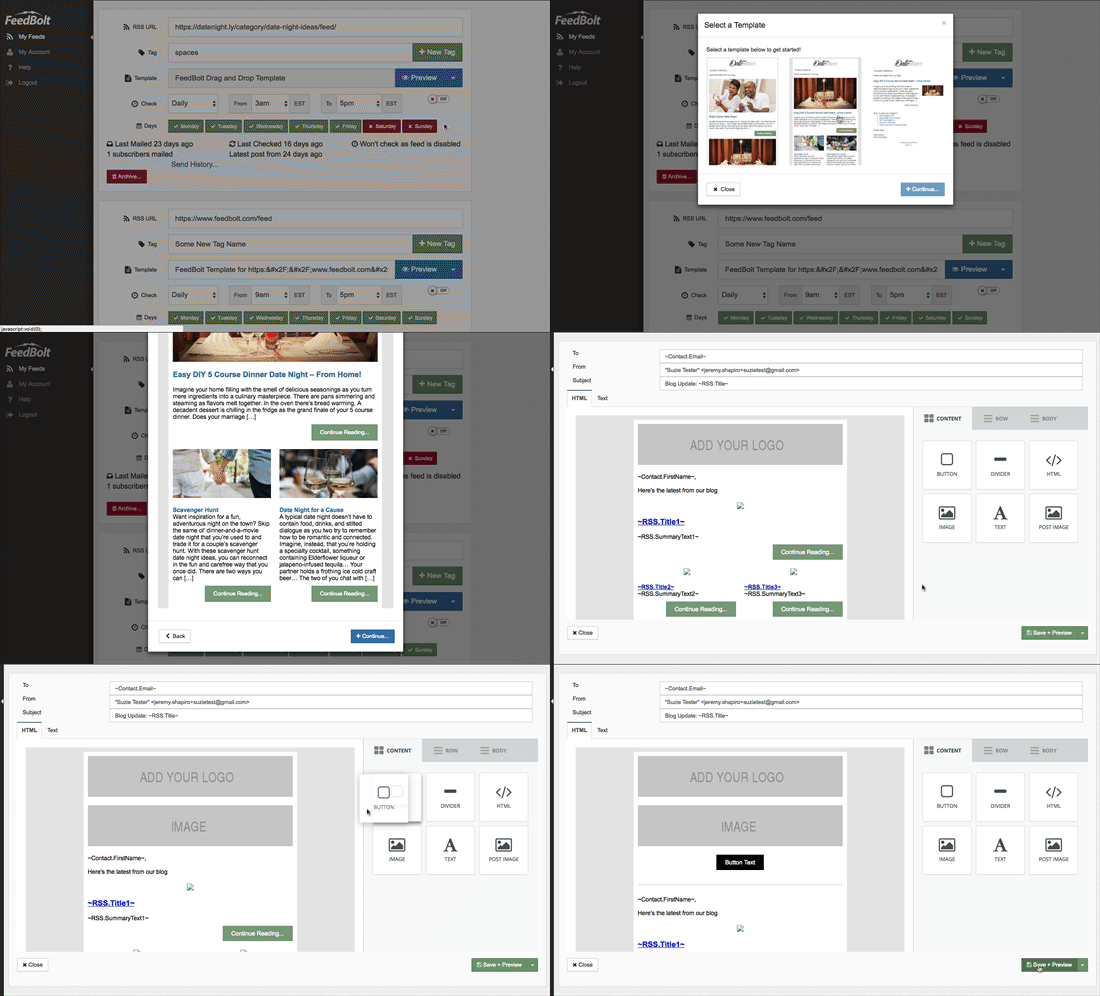
Select a Template
Select a template below to get started!
Upgrade to Responsive Drag and Drop HTML Templates!
Upgrade from FeedBolt {{currentplan}} to {{nextplan}} today for only USD ${{newcost}} per {{term}} and get instant access to our super easy to use Drag and Drop fully responsive HTML Email Builder and our pre-built ready-to-go templates!